 ScaFix
Guide · 8 of 24
How to set heights, levels and decks per level
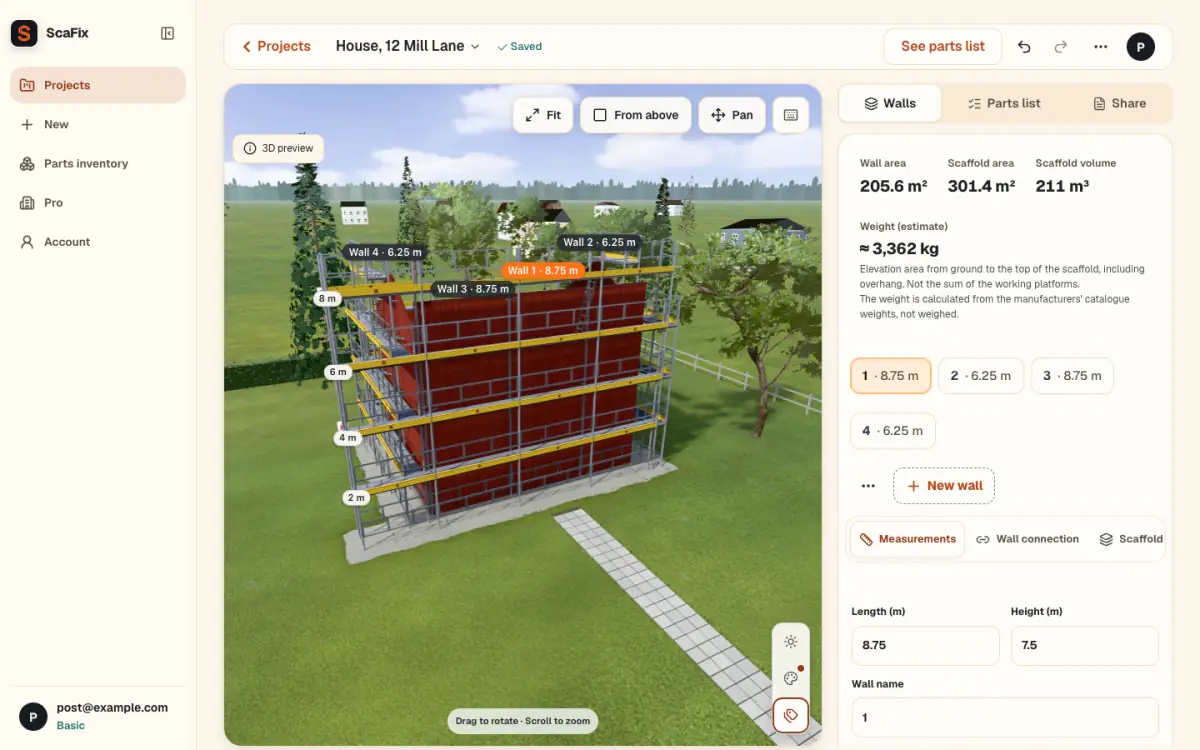
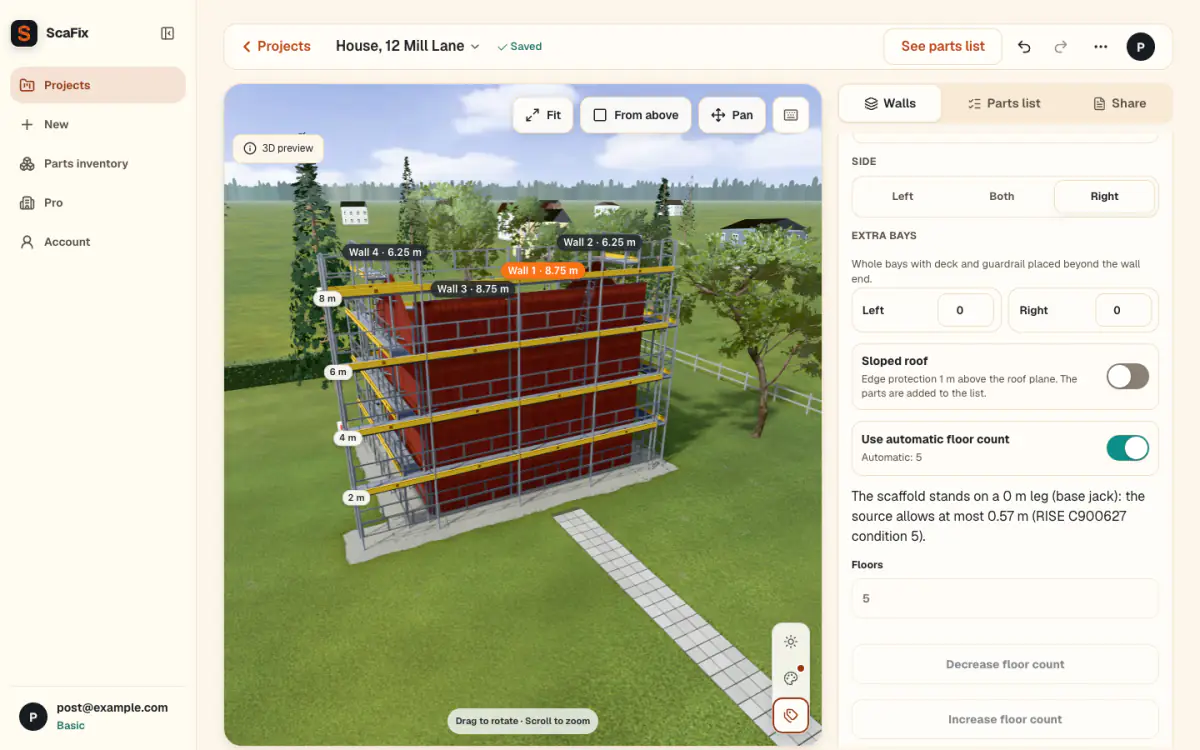
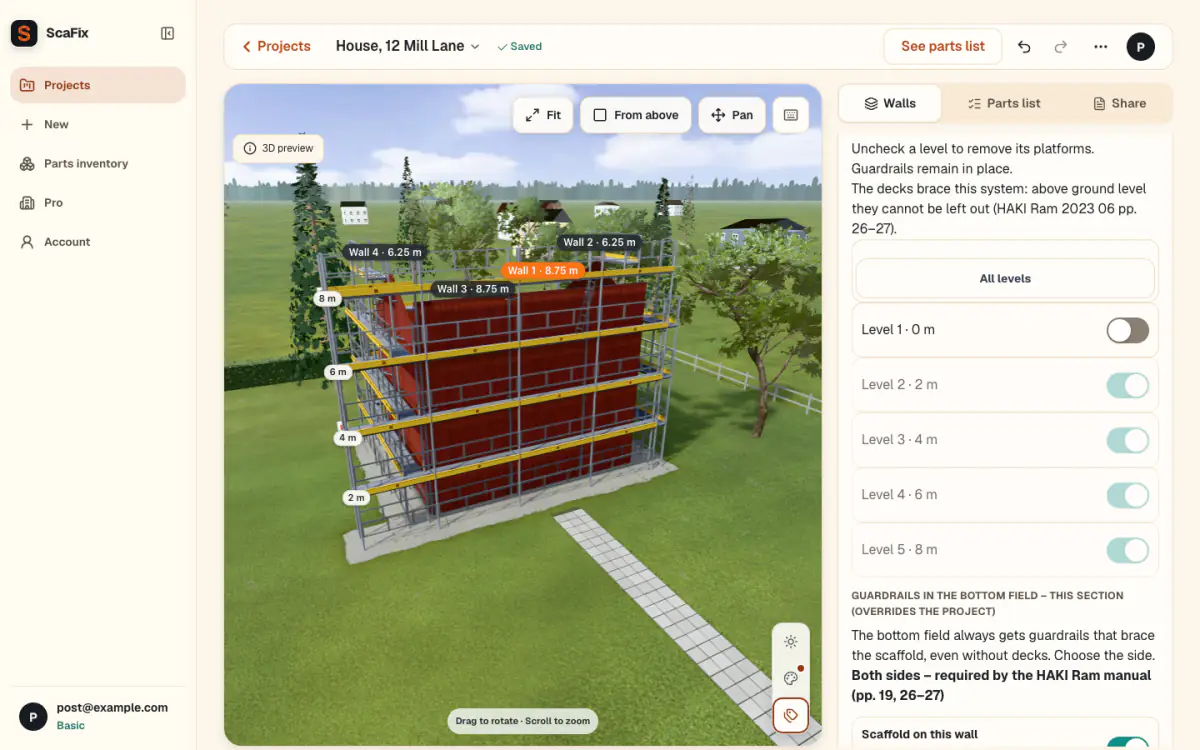
Type the wall height under Measurements – ScaFix chooses the levels automatically from the system's heights. Under Scaffold you see the levels and can take the decks out of a level (the guardrails stay). Scaffold on this wall switches the scaffold off on a wall without deleting the wall.
ScaFix Basic or Pro See the plans and what they cost
What you need
- ScaFix Basic or Pro
- The height of the wall (to the eaves or to where the work is done).
Step by step
Step 1 Change the wall height
Select the wall and type a new Height under Measurements, here 7.5 m. The levels in the 3D picture follow; the labels show the height of each level (2 m, 4 m, 6 m, 8 m).
Step 2 See the levels
Under Scaffold you find Use automatic floor count (here: Automatic 5). Switch it off to choose the number yourself under Floors. ScaFix also shows what the scaffold stands on and what the system allows for the base jack.
Step 3 Take the decks out of a level
Untick the level in the list. Its decks disappear from the 3D picture and the parts list; the guardrails stay. For HAKI Ram in the example the levels above ground are locked, and ScaFix shows why with its source: «The decks brace this system: above ground level they cannot be left out». ScaFix has this lock for some systems only. No note does not mean the decks can come out: check against the manufacturer's instructions.
Step 4 Switch the scaffold off on a wall
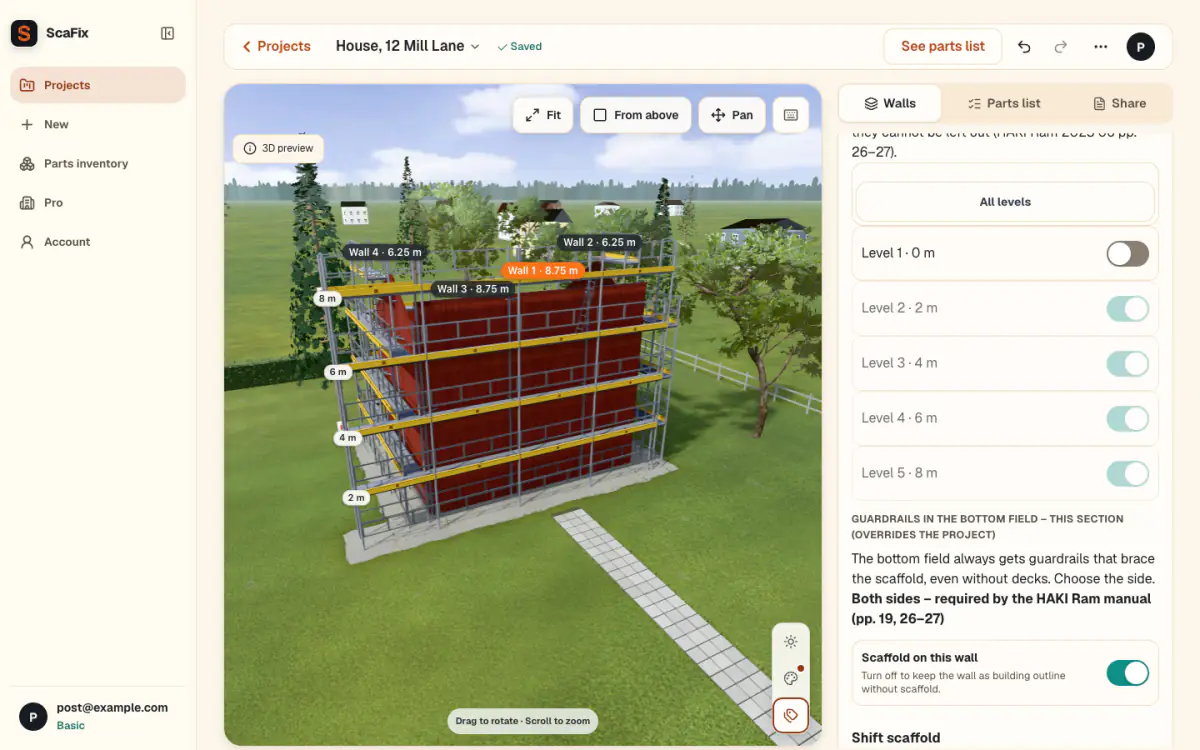
Scaffold on this wall: switch it off to keep the wall as a building outline without scaffold. The wall stays in the project and in 3D, but its parts leave the list. Shift scaffold moves the scaffold 0.25 m at a time along the wall.
Guardrails in the bottom field
The bottom field always gets guardrails that brace the scaffold, even without decks. ScaFix shows which side is built and where the rule comes from: the manufacturer's manual with its page where ScaFix has one (in the example the HAKI Ram manual, pp. 19, 26–27), otherwise «ScaFix bracing standard», which is ScaFix's own rule and not the manufacturer's. Always check against the instructions for your system.
Common mistakes
- Too many levels. The height is to where the work is done or to the eaves; ScaFix sets the top platform from the system's heights.
- Decks removed where they brace. In many systems the decks brace the scaffold. ScaFix locks the choice only for the systems where it has the rule; always check the manufacturer's instructions before you take decks out.
- The wall deleted instead of switched off. Use Scaffold on this wall, so you keep the wall and its corners.