 ScaFix
Guide · 19 of 24
How to make rounded corners and curved walls
Start a building in Pro Studio and press Round a corner under Form. The corners are shown as points in 3D; tap the corner you want to round and press Round R 3 m, or Change R for another radius. If the system has no rules for rounded bays, ScaFix says so and offers a system that has them.
ScaFix Pro See the plans and what they cost
What you need
- ScaFix Pro
- A building in Pro Studio.
Step by step
Step 1 Press Round a corner
Start a Pro project, for example with House (12 × 8 m), and press the corner-rounding button under Form (pick the corner in 3D). The corners are shown as points in the 3D picture.
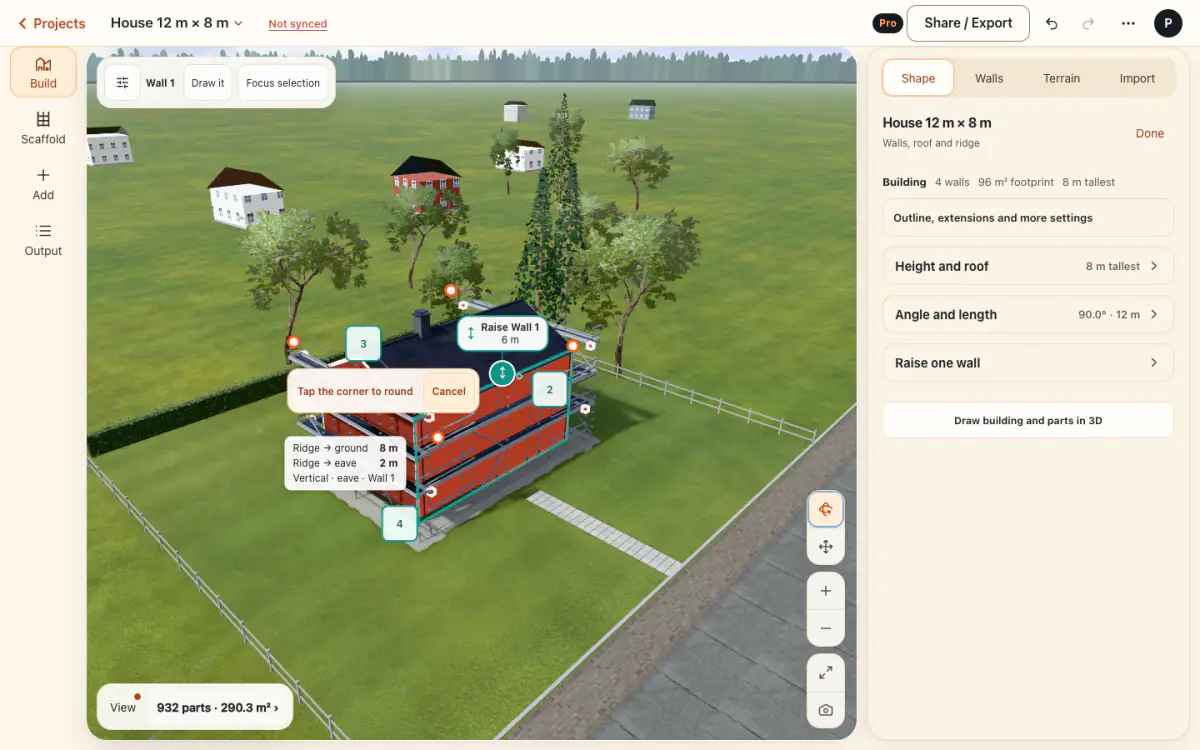
Step 2 Pick the corner
Tap the corner. The card at the corner offers Round R 3 m, Change R and Other corner.
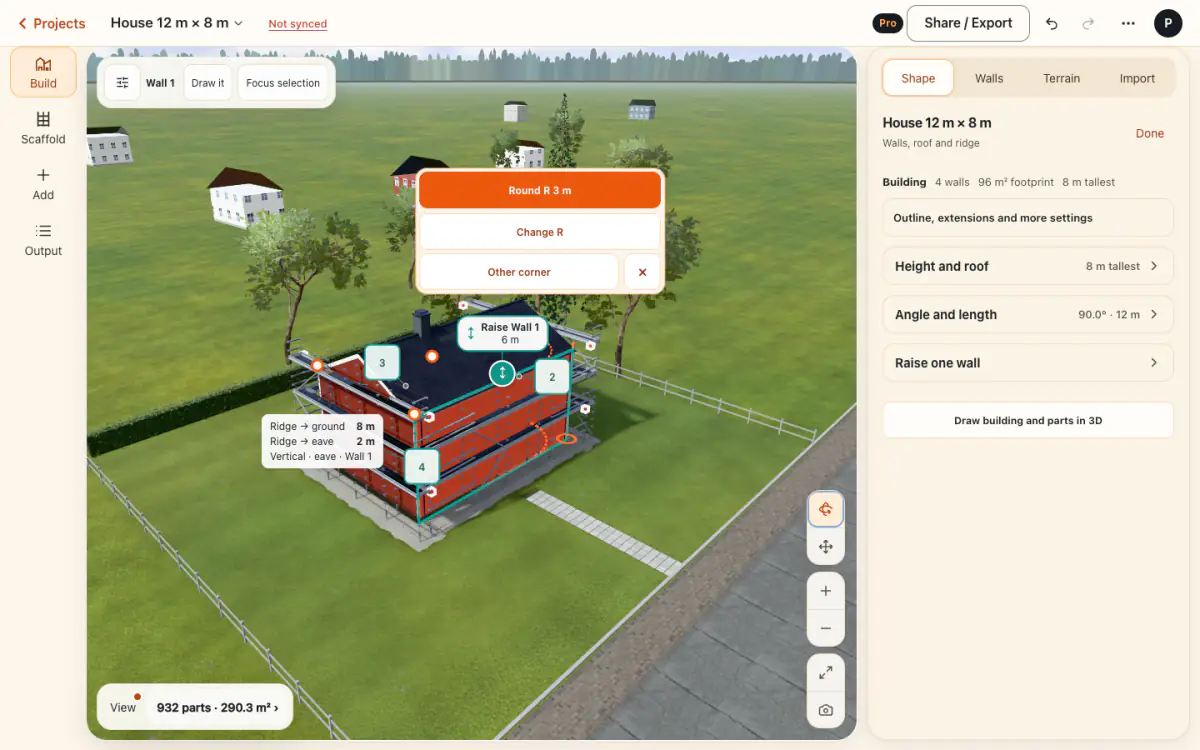
Step 3 See the curve
Press Round R 3 m. The corner is rounded and the scaffold follows the curve; the Corner radius field in the panel changes the radius. Read the panel's note: a round scaffold is not a standard configuration and needs a calculation or supplier documentation and trained erectors.
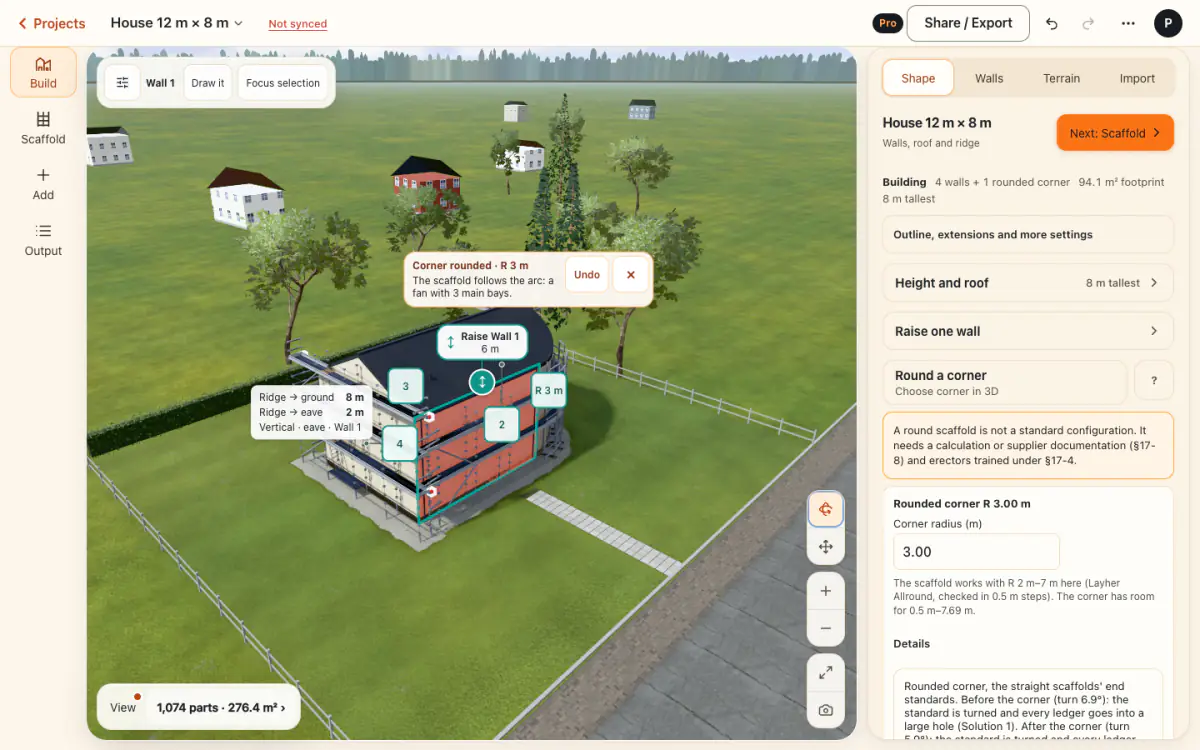
Common mistakes
- The system has no rules for rounded bays. Choose one of the systems ScaFix offers, or round the corner without scaffold.
- The curve read as a finished solution. Read the notes and check the build-up in the curve against the manufacturer's instructions.