 ScaFix
Guide · 5 of 24
How to use ScaFix on iPhone, the web, ChatGPT and Claude
Sign in with the same account everywhere. A plan bought on the web also applies in the iPhone app when you sign in with the same account there. In ChatGPT and Claude, ScaFix plans one wall or a whole building from a description; the parts list with counts needs your ScaFix account connected with an active plan.
ScaFix Basic or Pro See the plans and what they cost
What you need
- ScaFix Basic or Pro
- Your ScaFix account (Google, Apple or e-mail).
- For iPhone: ScaFix from the App Store.
Step by step
Step 1 Web: sign in on scafix.app
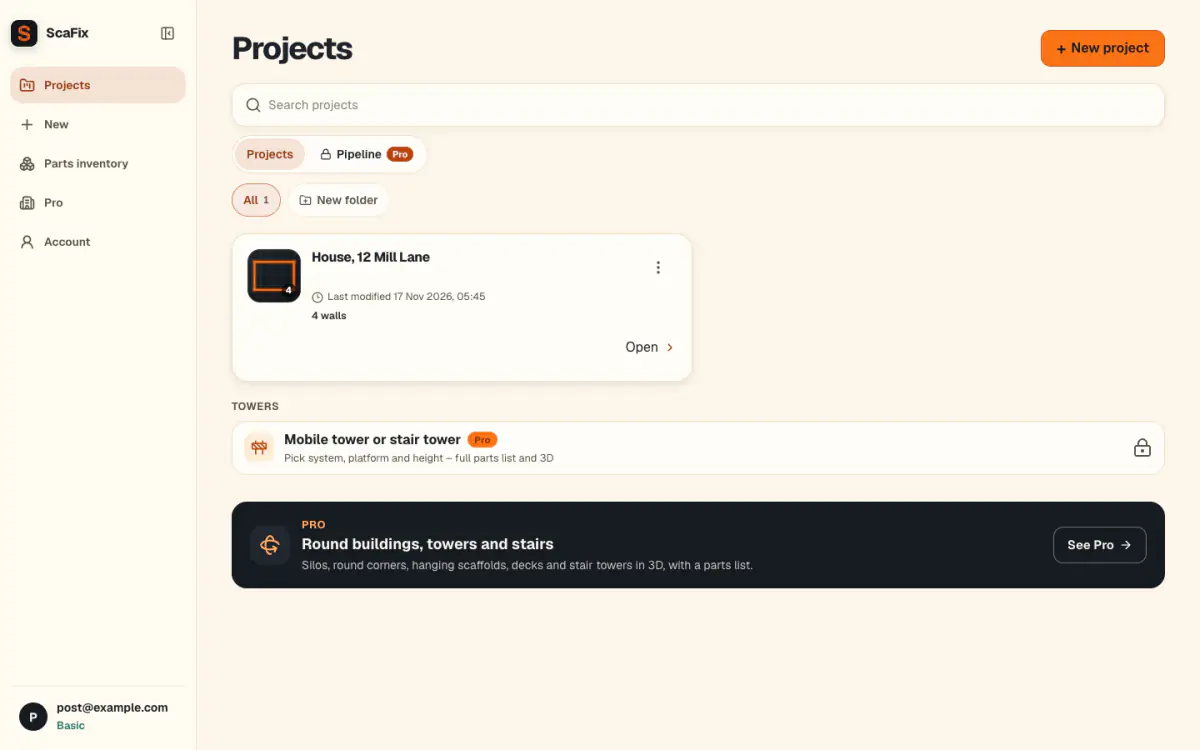
Your projects are stored on your account and are the same in every browser you sign in from. The Projects list shows them all, with the number of walls and when they last changed.

iPhone
Download ScaFix from the App Store and sign in with the same Google, Apple or e-mail account. A plan bought on the web is active in the app. If you buy in the app, you pay with your Apple ID and the subscription is managed in the iPhone settings.
ChatGPT
In ChatGPT, ScaFix can plan one wall, a building with corners, compare two set-ups and show the parts list. The plan and which parts it needs come without signing in; the counts need your ScaFix account connected with an active plan. See ScaFix in ChatGPT for how to add it.
Claude
In Claude you add ScaFix as a custom connector, with the same tools as in ChatGPT. See ScaFix in Claude for the address and the steps.
Common mistakes
- The plan does not show on iPhone. Check that you are signed in with the account you bought with on the web (Account shows the e-mail).
- ChatGPT shows no counts. The parts list with counts needs a connected account with an active plan; without it ScaFix shows which parts the plan uses.
- A ChatGPT result read as an approved scaffold. Everything ScaFix makes is a planning aid, in ChatGPT and Claude too.