 ScaFix
Guide · 24 of 24
How to add colleagues with teams and seats
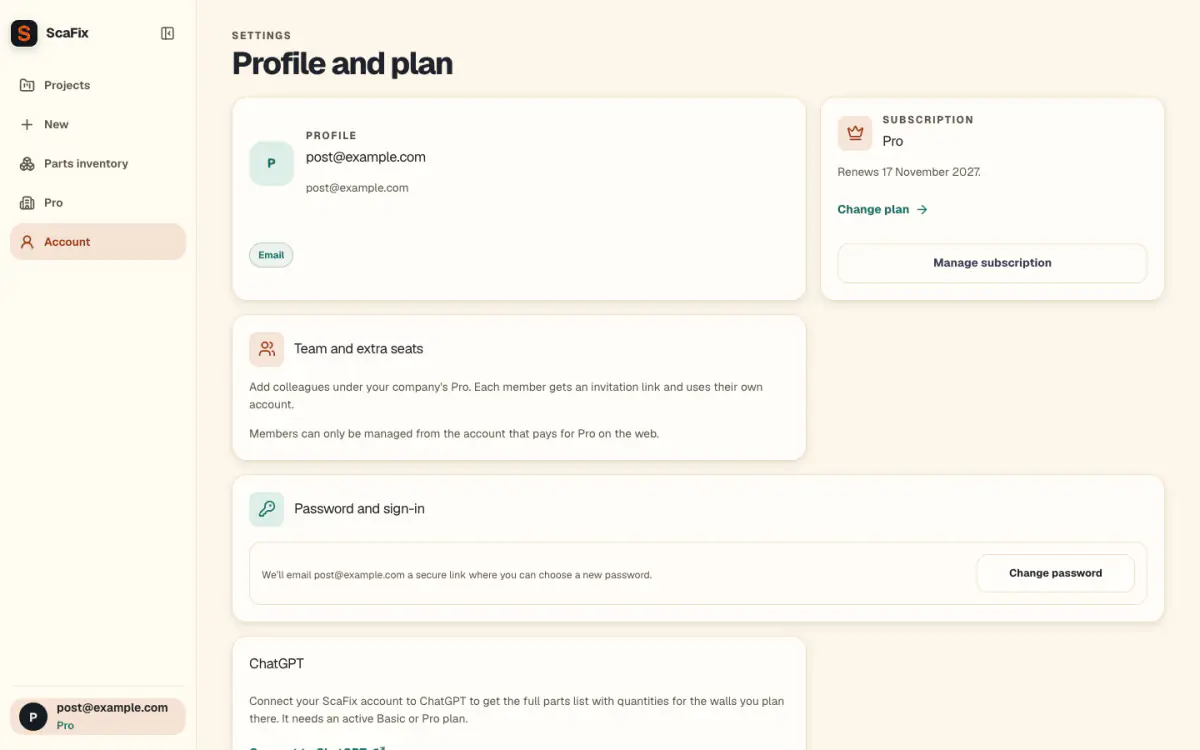
With Pro bought on the web you add colleagues under Account → Profile and plan, in the team and extra seats card. Each member gets an invitation link and uses their own account with full Pro. Members can only be managed from the account that pays for Pro on the web.
ScaFix Pro See the plans and what they cost
What you need
- ScaFix Pro
- Pro bought on the web.
- Your colleagues' e-mail addresses.
Step by step
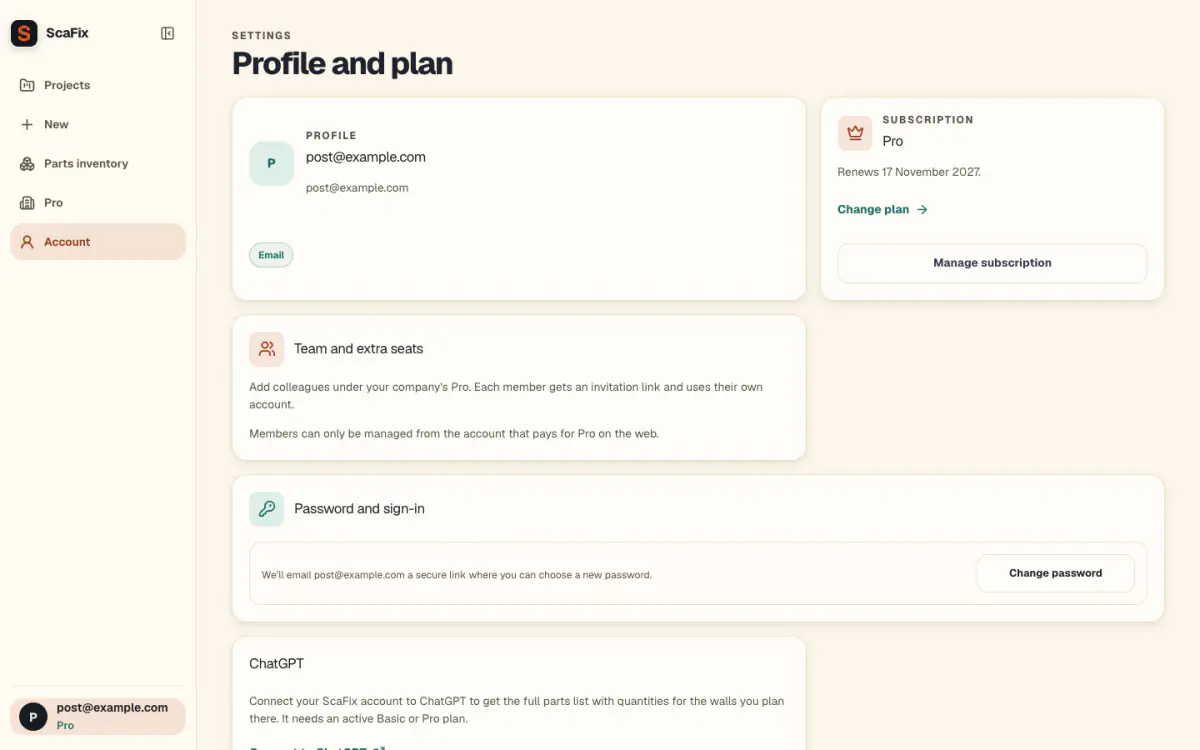
Step 1 Open Profile and plan
Go to Account → Profile and plan. It shows the plan, when it renews, Change plan, Manage subscription and the team and extra seats card.
Step 2 Add colleagues
In the team card: add colleagues under your company's Pro; each member gets an invitation link and uses their own account. The price per user is on the price page.


Common mistakes
- One sign-in shared by several people. Each account is signed in on one device at a time; give each colleague their own seat.
- Seats bought in the iPhone app. Seats are managed from the account that pays for Pro on the web.
- Your colleague cannot see your projects. Each user has their own account and their own projects.