 ScaFix
Guide · 23 of 24
How to add a hoist
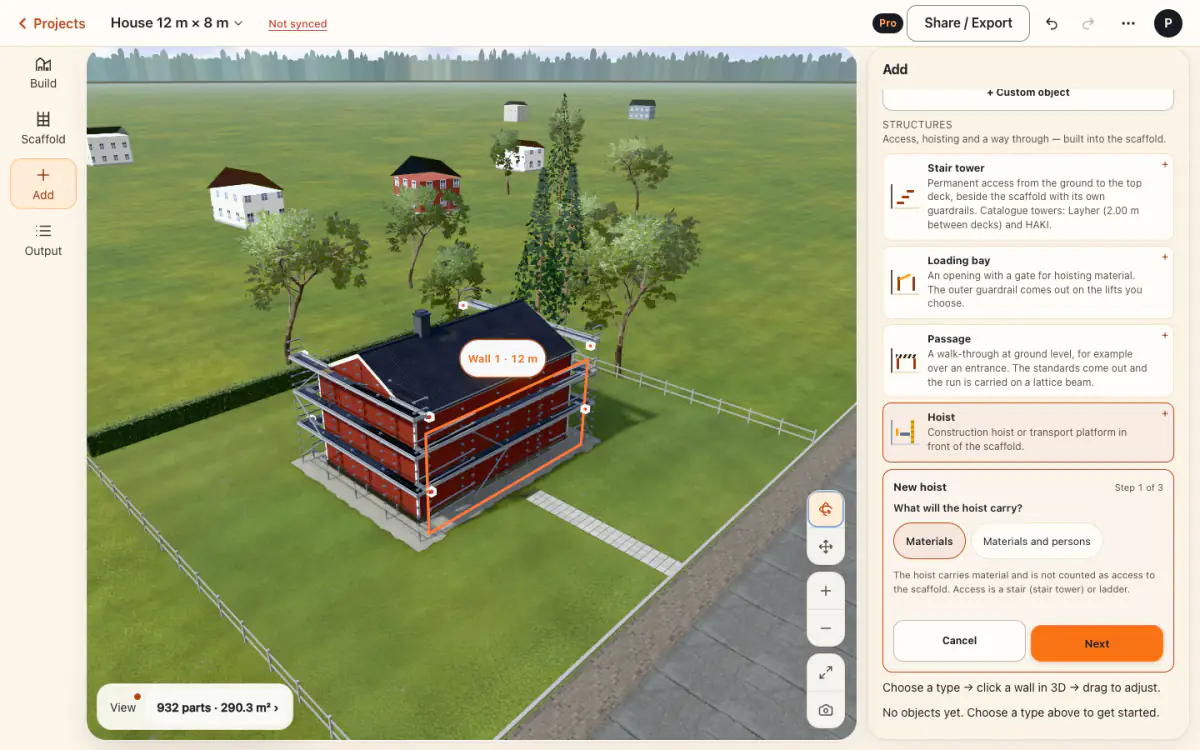
In Pro Studio choose Add → Hoist (construction hoist or transport platform). Choose whether the hoist will carry Materials or Materials and persons, and go on with Next through the wizard's three steps. The hoist stands in front of the scaffold and is not counted as access. Mast and ties come from the hoist supplier's installation plan.
ScaFix Pro See the plans and what they cost
What you need
- ScaFix Pro
- A building with scaffold in Pro Studio.
- What the hoist will carry.
Step by step
Step 1 Choose Hoist
Press Add and choose Hoist. The new hoist asks what it will carry – Materials or Materials and persons. Press Next; the wizard has three steps. On the first step ScaFix says the hoist is not counted as access to the scaffold: access is a stair or ladder.
Common mistakes
- A passenger hoist chosen for materials. Choose what the hoist will really carry; the requirements differ.
- The plan used as hoist design. The hoist must be erected and checked under the supplier's plan.